
How to Run a Shadow AI Audit in Four Weeks
A week-by-week plan to find the AI people use without approval, record it, score it, and decide what happens next. With a printable checklist, an inventory template, and a scoring rubric.
The short version
How do I run a shadow AI audit?
A shadow AI audit is a time-boxed review that finds the AI tools people use without approval, records each in an inventory, and decides its fate. Run it in four weeks: scope and notice, discovery across six sources, risk and cost scoring, then decisions with an owner per tool.
What a shadow AI audit is, and what it is not
A shadow AI audit is a time-boxed review that finds the AI tools, models, and services people use without approval, records each one in an inventory, scores its risk and cost, and assigns it an owner and a decision.
It is an inventory, not a crackdown. People use AI tools because they help, and punishing them only drives usage further out of sight. The aim is to give useful tools a sanctioned path and to retire the ones you cannot accept.
Detection is one part of it: learning how to detect shadow AI is week 2 of the audit. The audit is a project with an output, an inventory plus a decision for each tool, and after the first run it becomes a recurring review.
Before you start
Checking logs, devices, or expense records can count as employee monitoring, so agree the scope with HR, legal, or your privacy team and give people notice first. The shadow AI detection guide explains what that can involve where your people work. This is general information, not legal advice.
Name a sponsor, such as the CIO or CISO, and one accountable lead. Bring in HR, legal, or privacy, finance for expense data, and an engineering lead for developer tools. Collect only what the inventory needs, and report by tool and team rather than by person.
The four-week plan
Four weeks fits a first audit in most mid-sized organizations. Compress it if you are small; keep the order either way.
- 1
Week 1: Scope it, tell people, and open an amnesty window
Decide which teams, devices, contractors, and SaaS tenants are in scope, and agree that scope with HR, legal, or your privacy team. Send the notice before you pull any data. Open a no-blame window in which people can self-report the AI tools they use, and launch a short survey, anonymous if possible, asking what they use and why.
- 2
Week 2: Collect findings from six sources
Check the six places shadow AI shows up: identity and OAuth grants, expense and card records, network or DNS logs, browser extensions, SaaS admin consoles, and the endpoints themselves. Each finding becomes one row in the inventory template below.
- Identity and OAuth grants: AI apps people signed in to with a company account, and the scopes they granted.
- Expense and card records: Paid AI subscriptions and API bills, totalled by vendor and team.
- Network or DNS logs: Lookups of known AI domains while devices are on the corporate network.
- Browser extensions: AI extensions in your managed browsers' extension inventory.
- SaaS admin consoles: AI features switched on inside the SaaS apps you already license.
- Endpoints: Coding agents, CLIs, desktop AI apps, and local models on the machines themselves.
The guide on how to detect shadow AI covers each source in detail. Endpoints need their own checks: see how to inventory AI agents on developer machines, how to find local LLMs, and which AI coding tools your developers use.
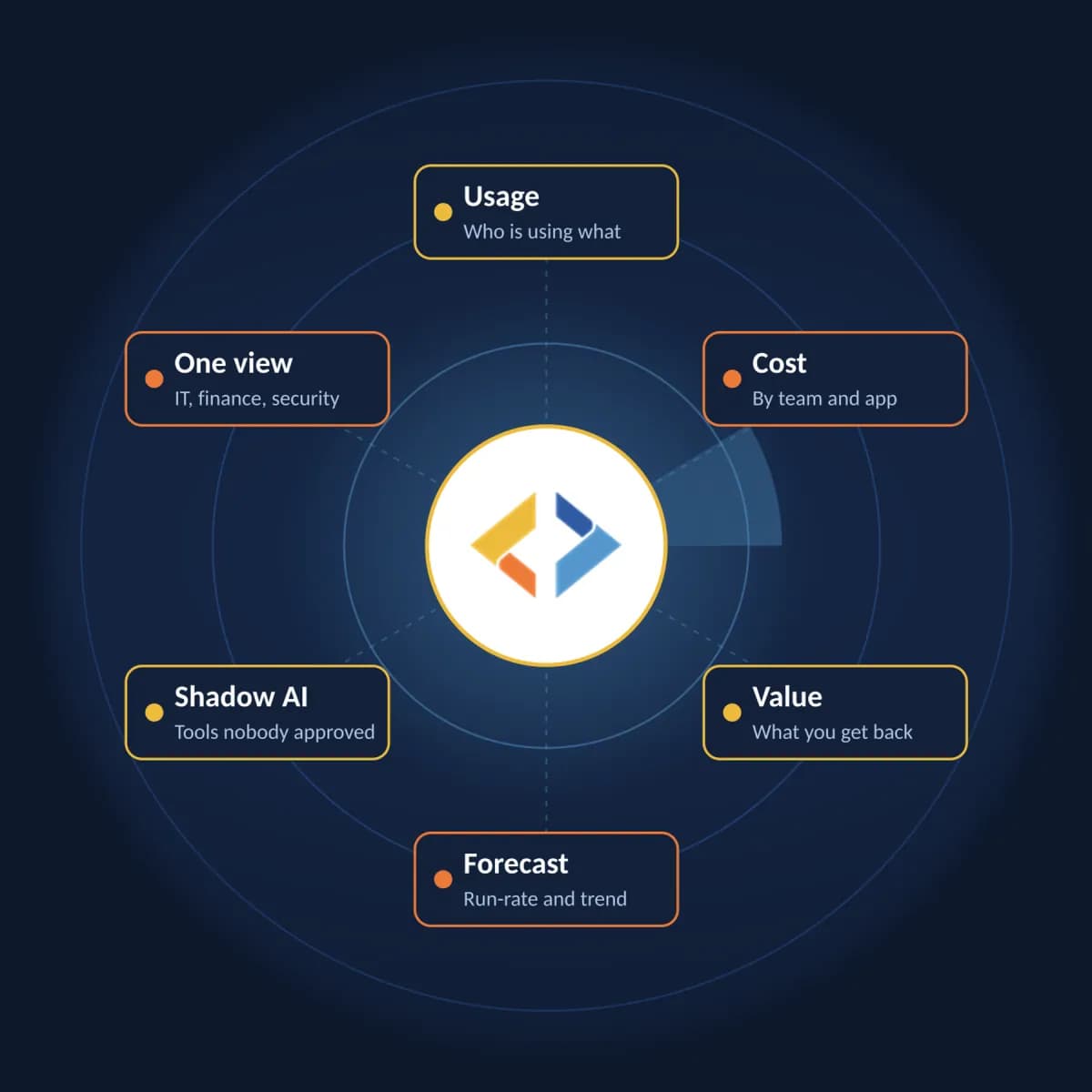
From AI visibility to AI control
Understand AI usage before you set the governance rules.
In the Behest control plane, IT, finance, and security see usage, cost by team and app, forecast, and value in one view, with the shadow AI tools nobody approved.
- 3
Week 3: Score risk and estimate cost
Score each row with the rubric below. For cost, total expense and card spend by vendor, compare paid seats with active users, and report the result as a range rather than a single figure. Do not publish industry statistics you cannot source.
For the cost side, see how to estimate what shadow AI costs, what counts as shadow AI spend, and the AI cost exposure calculator.
- 4
Week 4: Decide, assign owners, and report
Sort each tool into approved, under review, or not allowed. Give every approved tool an owner, a sanctioned path, and a budget. Update your AI usage policy, report the results by tool and team rather than by person, and set the date of the next review.
Start the policy update from the AI usage policy template.
Shadow AI audit checklist
Print this page or copy the list into your own tracker. Each item maps to a week of the plan above.
Week 1: scope and notice
- Give people notice first: agree the scope with HR, legal, or your privacy team, and tell people what you will check and why.
- Set the scope: which teams, devices, contractors, and SaaS tenants are in.
- Open a no-blame amnesty window for people to self-report the AI tools they use.
- Run a short survey, anonymous if you can, asking which AI tools people use and why.
Week 2: discovery
- Pull identity and OAuth grants, expense and card records, and network or DNS logs.
- Export browser extension inventories and check SaaS admin consoles for AI features that are switched on.
- Check endpoints for AI agents, CLIs, and the MCP servers they use.
- Check endpoints separately for local models such as Ollama, LM Studio, and llama.cpp.
- Record each finding as one row in the inventory, and never collect API key values or prompts.
Week 3: scoring
- Score every tool for data sensitivity, access and autonomy, vendor terms, and spread.
- Estimate monthly cost for each tool as a known figure, a range, or unknown.
Week 4: decisions
- Decide for each tool: approved, under review, or not allowed.
- Give each approved tool an owner, a sanctioned path, and a budget.
- Update your AI usage policy to match the decisions.
- Report by tool and team, not by person.
- Set a re-audit date, because new AI tools ship every month.
Shadow AI inventory template
One row per tool. The three rows below are labeled examples with generic descriptions, not real data. Record counts of teams, not names, and record where a key comes from, never the key itself.
| Tool | Vendor | Type | Where found | Teams using it | Account type | Data it touches | Vendor data terms checked | Monthly cost | Risk tier | Decision | Owner | Sanctioned alternative | Next review |
|---|---|---|---|---|---|---|---|---|---|---|---|---|---|
| Example: AI chat app | Chat app vendor | Browser app | Survey | 3 teams | Personal | Internal documents | Trains on inputs by default; retention not stated | Unknown | High | Under review | IT lead | Company plan with training turned off | In 30 days |
| Example: Coding agent CLI on a personal API key | AI model provider | Coding agent or CLI | Endpoints | 2 teams | Personal | Source code | API terms checked | Range from expense claims | High | Approved, move to company key | Engineering lead | Company key through a governed path | In 90 days |
| Example: Local model runtime | Runtime project | Local model | Endpoints (installed-software inventory) | 1 team | Not applicable | Unknown | Model license to check | No per-token bill | Medium | Under review | Security lead | Approved runtime and model list | In 60 days |
Copy the CSV below into a spreadsheet to start your own inventory. Type takes one of: browser app, AI feature in SaaS, desktop app, coding agent or CLI, local model, API key or SDK, browser extension.
Tool,Vendor,Type,Where found,Teams using it,Account type,Data it touches,Vendor data terms checked,Monthly cost,Risk tier,Decision,Owner,Sanctioned alternative,Next review
Example: AI chat app,Chat app vendor,Browser app,Survey,3 teams,Personal,Internal documents,"Trains on inputs by default; retention not stated",Unknown,High,Under review,IT lead,Company plan with training turned off,In 30 days
Example: Coding agent CLI on a personal API key,AI model provider,Coding agent or CLI,Endpoints,2 teams,Personal,Source code,API terms checked,Range from expense claims,High,"Approved, move to company key",Engineering lead,Company key through a governed path,In 90 days
Example: Local model runtime,Runtime project,Local model,Endpoints (installed-software inventory),1 team,Not applicable,Unknown,Model license to check,No per-token bill,Medium,Under review,Security lead,Approved runtime and model list,In 60 days
A simple way to score risk
Score each tool from 1 to 3 on four factors and add them up. A total of 4 to 6 is Low, 7 to 9 is Medium, and 10 to 12 is High. Treat any single 3 for data sensitivity as at least Medium.
| Factor | 1 (lower risk) | 2 | 3 (higher risk) |
|---|---|---|---|
| Data sensitivity | Public or non-sensitive data only | Internal data | Customer, personal, regulated, or secret data |
| Access and autonomy | Chat only, no connected accounts | Read access through OAuth scopes or repositories | Write access, or an agent that runs commands or calls tools |
| Vendor terms | No training on your inputs, retention you accept | Terms unclear or not yet checked | Trains on inputs, or retention you cannot accept |
| Spread | One person or one team | A few teams | Many teams, or customer-facing work |
Turn findings into governed, budgeted AI
An audit that ends in a spreadsheet changes little. Give approved AI one path instead: Behest, the control plane for enterprise AI. AI Governance provides model allowlists and an audit trail, and AI Token FinOps, its cost-control layer, provides budgets and attribution. PII scrubbing and prompt-injection defense are on the Enterprise plan.
For the next steps, see how to govern shadow AI and how to set AI token budgets.
One option for the endpoint: Behest Radar
Behest Radar is a free, observe-only app that shows which apps, agents, and CLIs on a machine connect to known AI services, local models included. With permission, it adds token counts for Claude Code, Codex CLI, and Claude Cowork, and list-price cost for Claude models. A standalone install makes no network connections of its own; machines your organization connects to Behest Control appear in one device inventory, at the sharing level chosen there. Tell people before you connect their machines.
Frequently asked questions
- What is a shadow AI audit?
- A shadow AI audit is a time-boxed review that finds the AI tools, models, and services people use without approval, records each one in an inventory, scores its risk and cost, and assigns it an owner and a decision. It is an inventory exercise, not a crackdown: the goal is to give useful tools a sanctioned path.
- How long does a shadow AI audit take?
- Plan four weeks for a first audit: one to scope it and tell people, one to collect findings from six sources, one to score risk and cost, and one to decide and assign owners. Smaller teams can move faster. After that, a lighter quarterly review keeps the inventory current, because new AI tools ship every month.
- Who should run a shadow AI audit?
- One accountable lead, usually from IT or security, with a sponsor such as the CIO or CISO. Bring in HR, legal, or your privacy team to agree scope and notice, finance for expense data, and an engineering lead for developer tools. Each approved tool then gets its own owner.
- Is a shadow AI audit a form of employee monitoring?
- It can be. Checking logs, devices, or expense records may count as employee monitoring where your people work, so agree the scope with HR, legal, or your privacy team, give notice, collect only what the inventory needs, and report by tool and team rather than by person. This is general information, not legal advice.
- What should a shadow AI inventory record for each tool?
- At minimum: the tool and vendor, its type, where you found it, how many teams use it, whether accounts are company or personal, the data it touches, the vendor's data terms, a monthly cost or range, a risk tier, a decision, an owner, and a review date. The template on this page has all of these columns.
- How does Behest help after a shadow AI audit?
- Behest, the control plane for enterprise AI, gives approved AI one governed path: model allowlists and an audit trail from AI Governance, and budgets and attribution from AI Token FinOps, its cost-control layer. PII scrubbing is on the Enterprise plan. Behest Radar, a free download, helps with the endpoint part of discovery.
Start week 2 on your own machine
Behest Radar is a free download. See which AI services your own machine reaches, then read how Behest turns audit findings into governed, budgeted AI.